
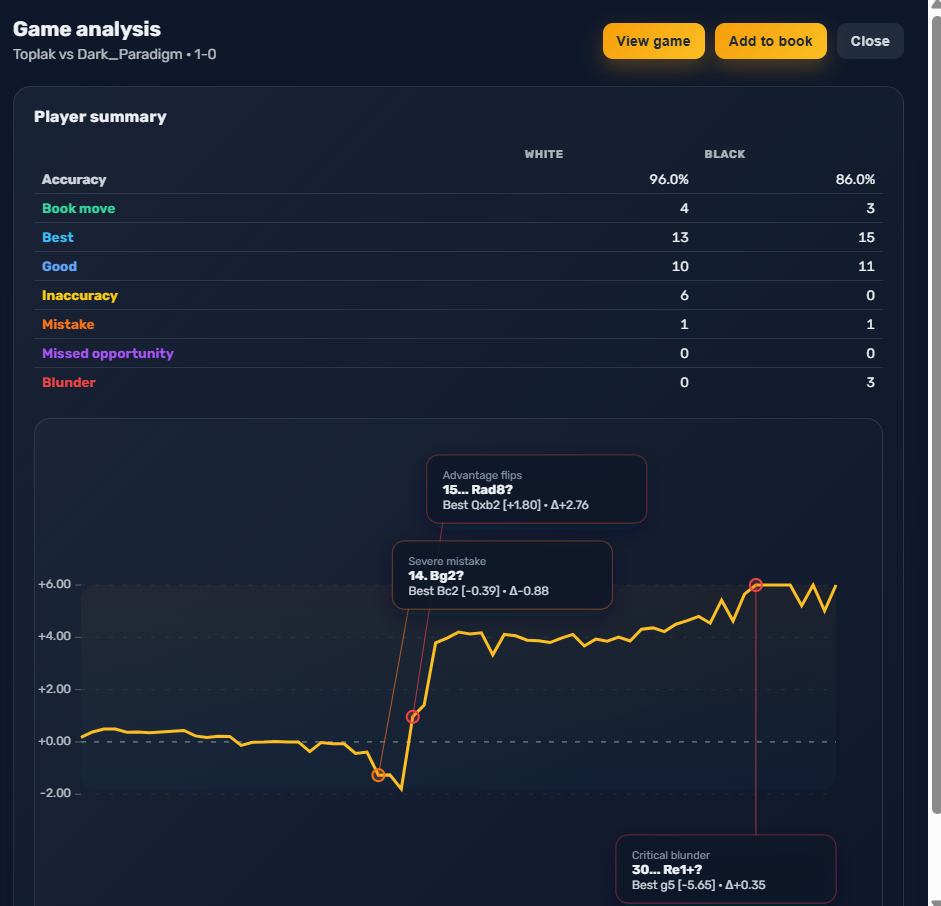
Free Chess.com game analysis with Stockfish
Import your latest games from Chess.com or Lichess with one click, then review unlimited Stockfish analysis in minutes. It works on desktop and mobile, and it stays simple and free.
How it works
Three quick steps to analyze Chess.com games.
- 1
Import your latest games
Inside AmberChess, click import latest games from Chess.com or Lichess to sync them instantly.
- 2
Review with Stockfish
Analyze accuracy, mistakes, and key moments with unlimited engine checks.
- 3
Grow your opening book
If a new line appears, add it directly to your opening repertoire.
Built for deeper reviews
Keep analysis, openings, and opponent moves connected.
Game analysis
Get Stockfish insights, accuracy, and key turning points.
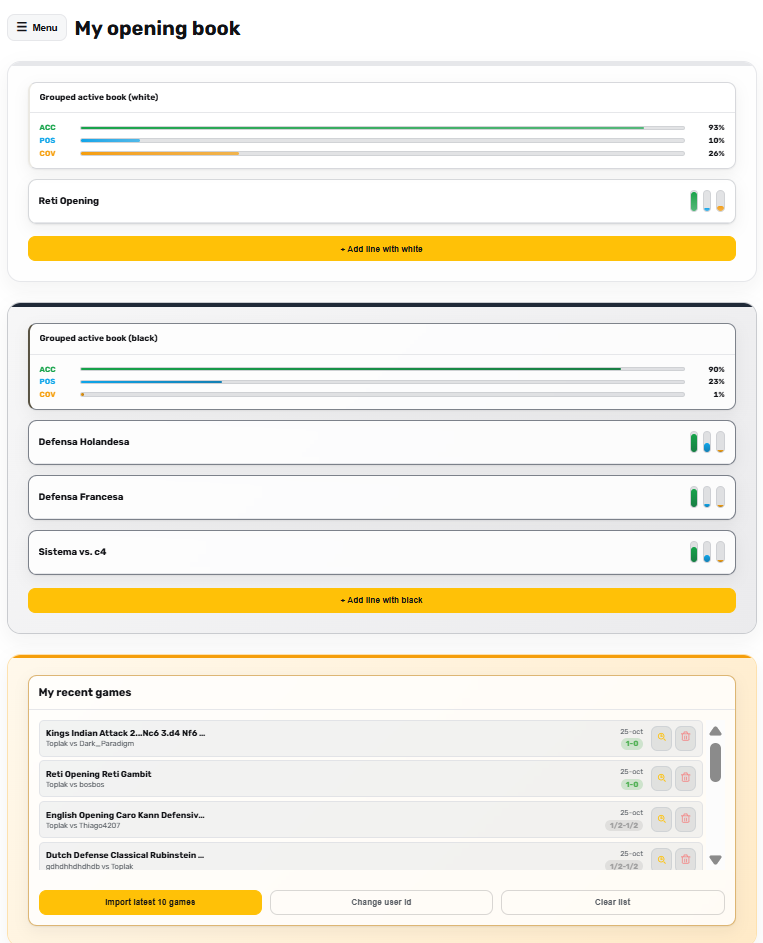
Your opening book (white/black)
Store your lines alongside the games you just reviewed.
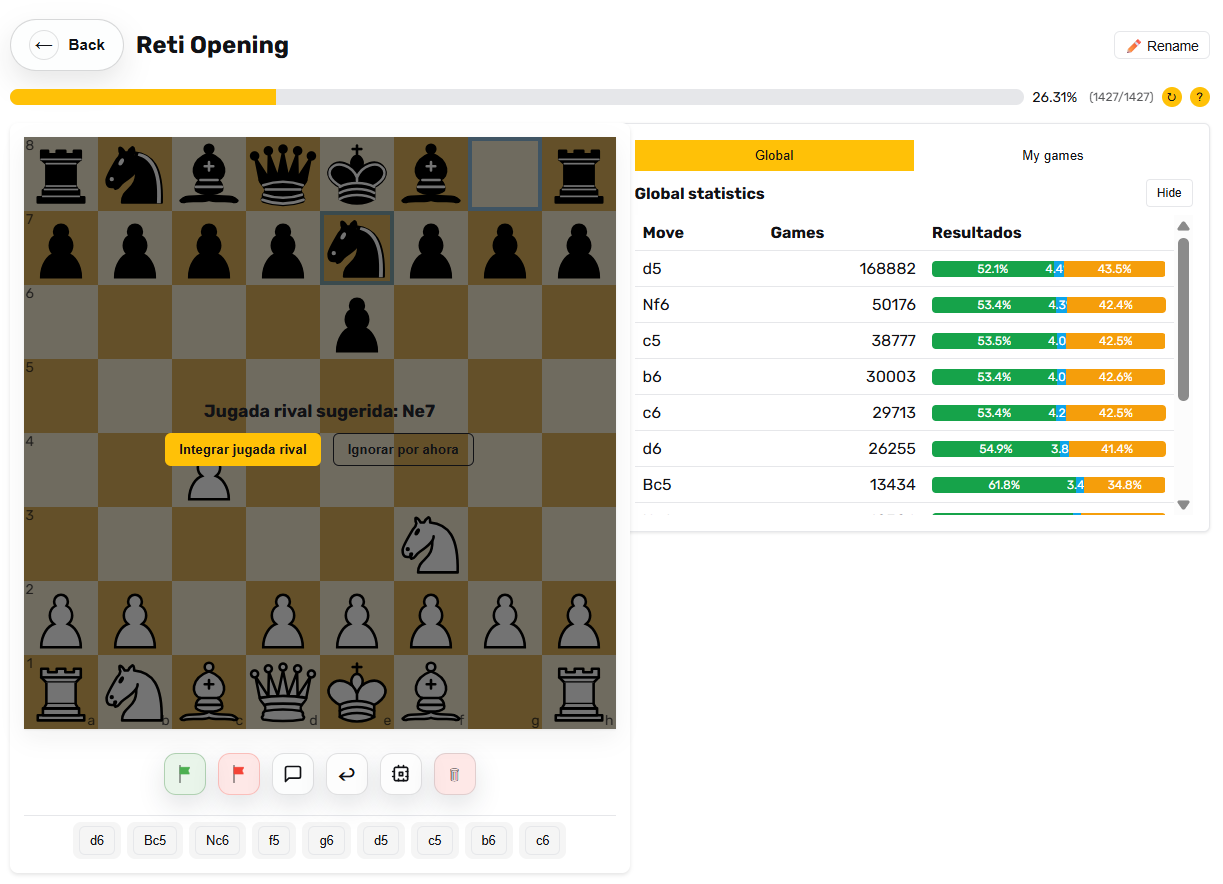
Integrate opponent moves
Add real opponent replies so your book stays realistic.
Analyze your Chess.com games for free
Import your latest games, review Stockfish insights, and keep training without limits.
FAQ
Short answers about free Chess.com PGN analysis.
Is it really free?
Yes. The core analysis flow is free with no daily limits.
Do I need an account to analyze a PGN?
You will need a free account to save analyses in your dashboard.
How do I import games from Chess.com or Lichess?
Use the in-app button to import your latest games from Chess.com or Lichess in one click.
Does it work on desktop and mobile?
Yes, AmberChess works on desktop and mobile browsers.
Can I save positions into my opening book?
Yes. You can add lines and ideas while reviewing the analysis.
Does it support Lichess PGNs too?
Yes, standard PGNs from Lichess or other sources work.
Any limits?
There are no daily limits, but analysis speed can vary with traffic.